1. Why an EMS+?
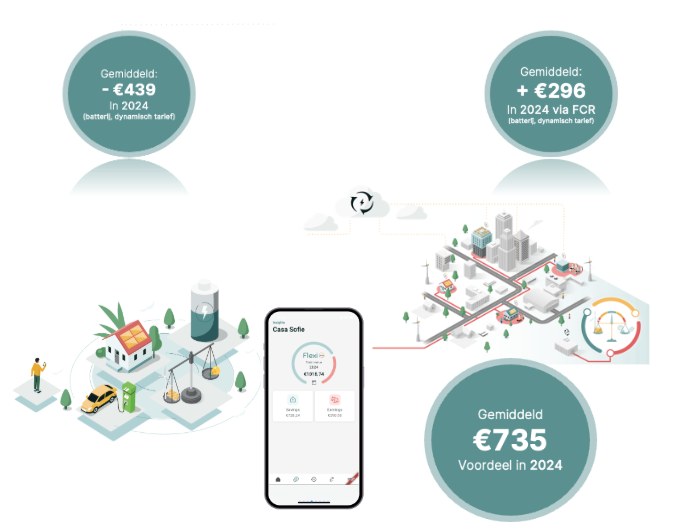
1.1 Local flexibility
1.2 Market Flexibility
-
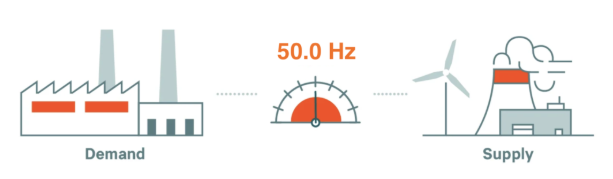
The grid must always be in balance: 230 Volt / 50 Hz
-
Various market mechanisms, especially large industrial installations
-
Access to these markets
-
You get paid for your participation
-
Can sometimes exhibit behavior that does not seem “logical” or “as expected”!
-
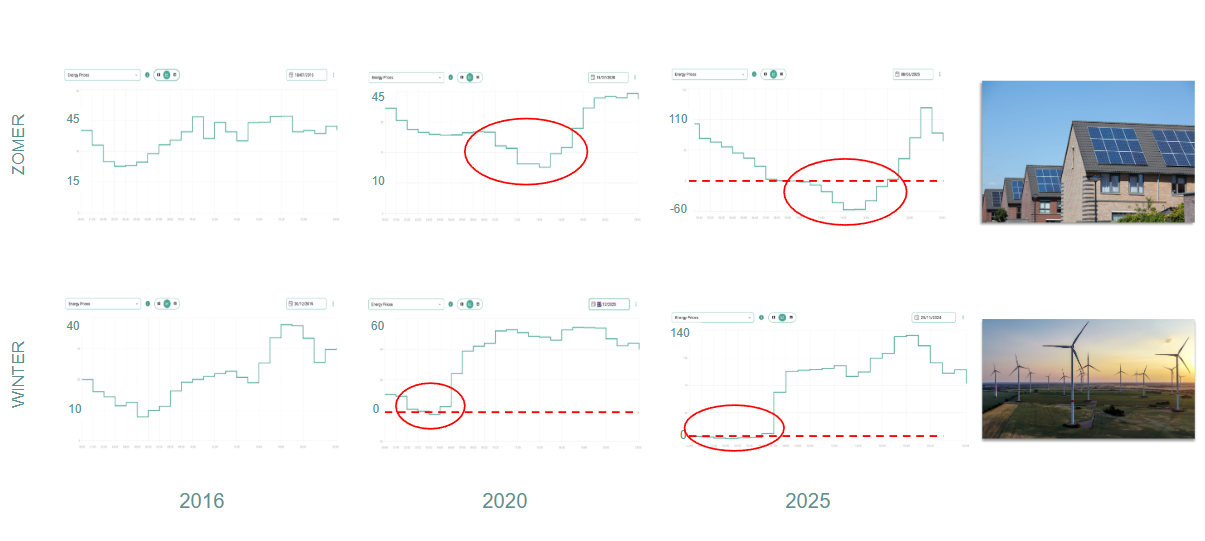
For example, injection into the grid when prices are negative
-
2. How does FlexiO make the difference?
|
|
Standard EMS
|
FlexiO EMS+
|
FlexiO EMS+ with ePOWR tariff |
|---|---|---|---|
|
Day-ahead control |
✅ |
✅ |
✅ |
|
Control on energy contract |
|
✅ |
✅ |
|
Curtailment + Peak monitoring |
✅ |
✅ |
✅ |
|
Energy losses + degradation costs |
|
✅ |
✅ |
|
Freedom of choice / Compatibility |
|
✅ |
✅ |
|
Helpdesk for FlexiO users |
|
✅ |
✅ |
|
Gridbalancing via Elia (rPOWR) |
|
✅ |
✅ |
|
Gridbalancing via energy supplier (ePOWR) |
|
|
✅ |
|
Everything is settled monthy on the energy bill |
|
|
✅ |
|
Lowest energy price/cost |
|
|
✅ |
-
Services of LIFEPOWR
-
Nothing is free
-
Battery control @ €9.95/month
-
EV control @ €4.95/month
-
Both @ €9.95/month
-
-
5 years warranty on FlexiObox
3. Where do we make the difference together?
Knowledge base installer:
-
Calculation tool, Demo app, Flyers, …
-
Manuals, troubleshooting, …
Knowledge base User:
-
eBook , everything about the App, Account, etc …
Website:
4. How can I monitor my installations?
-
Some useful charts you can request:
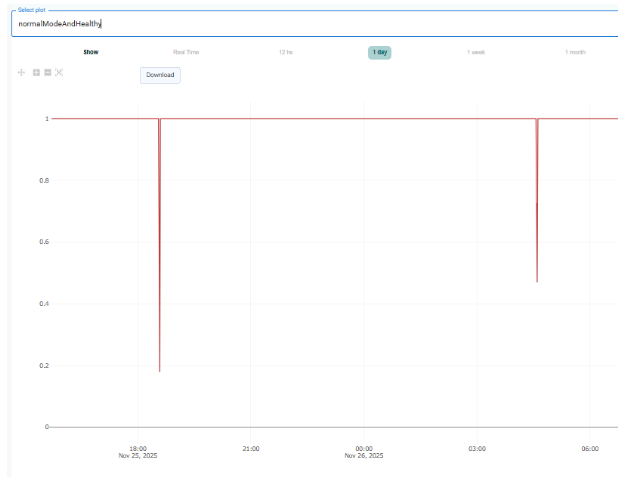
-> NormalModeAndHealthy: quality of the connection/control (1 = good)
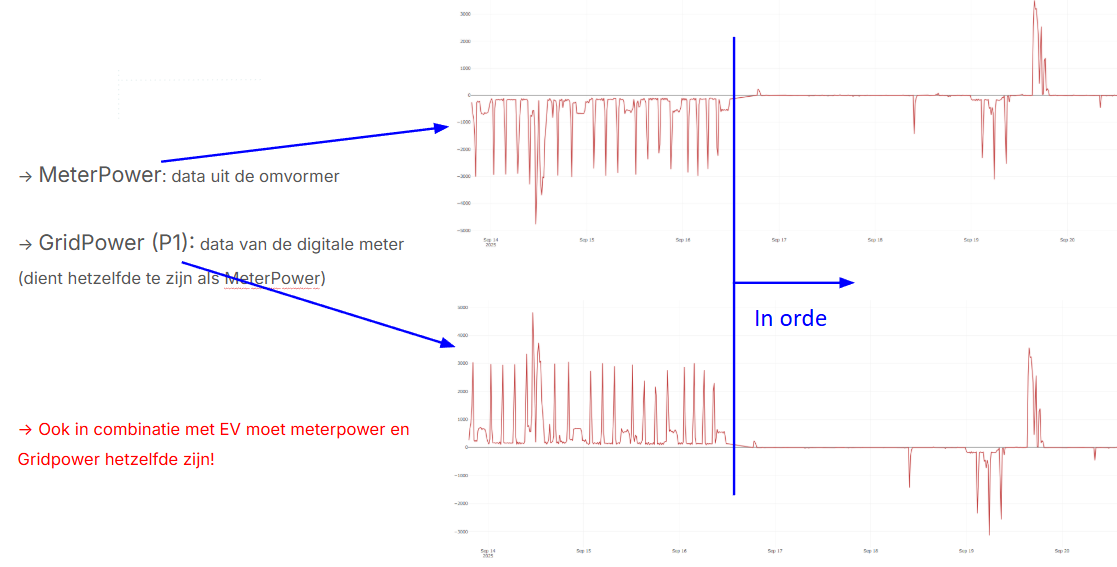
-> MeterPower: data from the current clamps (energy meter)
-> GridPower: data from the digital meter (should be the same as MeterPower)
-> ConsumptionElectricityPrice: Day-Ahead price +/- €0.15/kWh charges for consumption
-> InjectionElectricityPrice: Day-Ahead price for injection, according to energy contract terms
-> MonthPeak: Current monthly peak of digital meter
-> Battery State of Charge: Battery percentage
-> FcrActive: FCR active (=1), or FCR not active (=0)
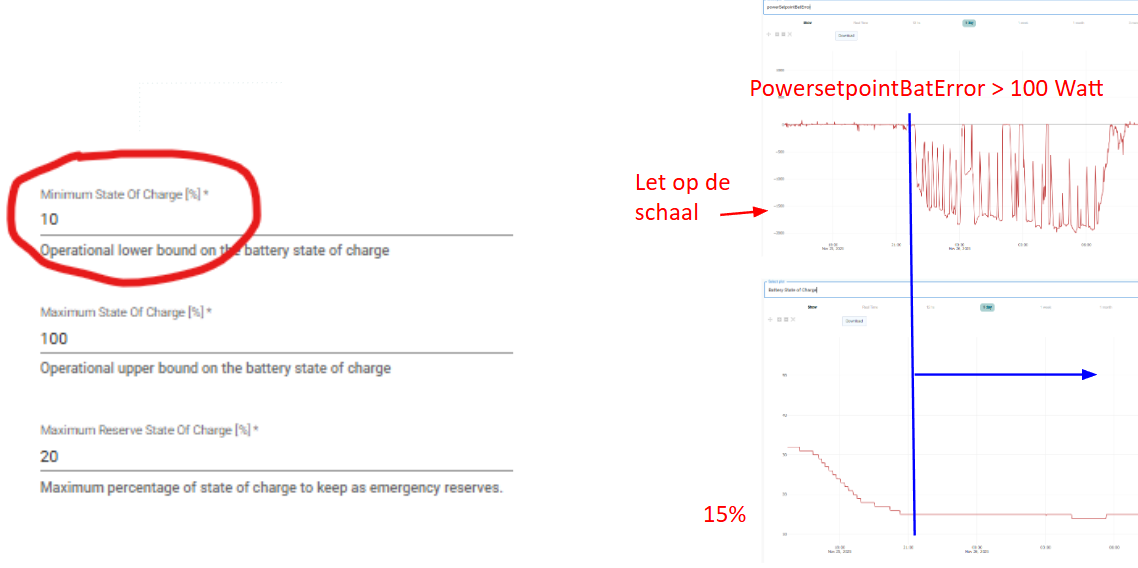
-> PowersetpointBatError: how much the battery deviates from the requested setpoints
5. Is FlexiO controlling the installation and how is the connection quality with the inverter?
The best graph you can use for this purpose is the ‘NormalModeAndHealthy’ graph. This is the result for a combination of criteria such as:
-
Online/offline
-
EMS mode
-
Connection to the inverter
-
EMS steering
-
…
The graph should always show 1. If it’s not 1 you can zoom in on the period where it is not 1 and select the general graph (or other) to find out what happened at that exact moment.
6. Are the savings of last month realistic?
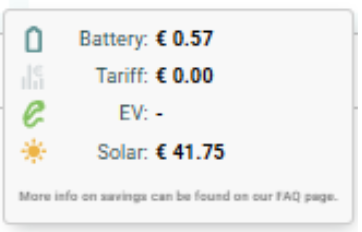
-
Low battery savings?
-
Energy contract not in accordance with metering situation
-
The battery is the cause of a monthly peak increase
-
-
Negative rate savings?
-
The currently set contract is worse than the average market price
-
-
Low Solar savings?
-
Is the production being measured?
-
Is the production amount in order?
-
7. What are the most common causes of major ‘powersetpointBatErrors’?
-
Incorrect settings in ‘device details’
-
Mismatch min soc FlexiO versus settings in the battery inverter
-
Huawei maintenance cycles (especially in cold and humid spaces)
8. What is the definition of the 'max reserved soc' setting in device detail?
The 'max reserved soc' is the maximum percentage of capacity that FlexiO may reserve for monitoring the capacity tariff. The lower this setting is set, the less FlexiO may take the capacity tariff into account. On the other hand, increasing the default setting of 20% is not recommended, except for very specific use cases.
Example: max reserved soc (30%) = min soc (10%) + max reserved soc (20%)
Note: FlexiO will only reserve this max capacity as soon as there is something to gain. FlexiO takes into account the consumption profile and the technical capabilities of the hardware setup.
9. Do you notice positive homeload? Are the existing solar panels also accounted for in retrofit PV?
-
Is the inverter model detected in the diagnostics the same as set in ‘device details’?
-
Are the battery settings definitely correct? Watch out for Huawei S0 exceptions
-
Check minimum SOC, does this correspond with settings in the inverter?
-
Leave max reserved SOC at the default value of 20%
-
Is the connection power correctly set?
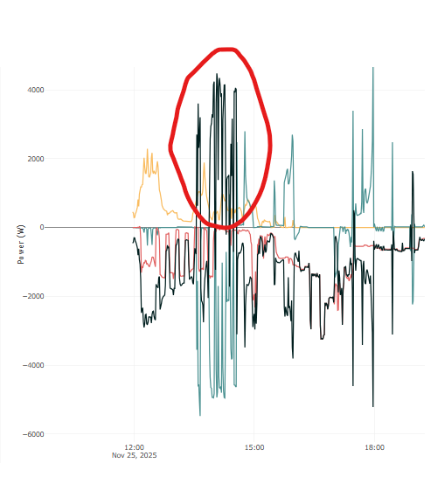
10. The monthpeak increased for no apparent reason, what happened?
11. Current bugs and Tips&Tricks
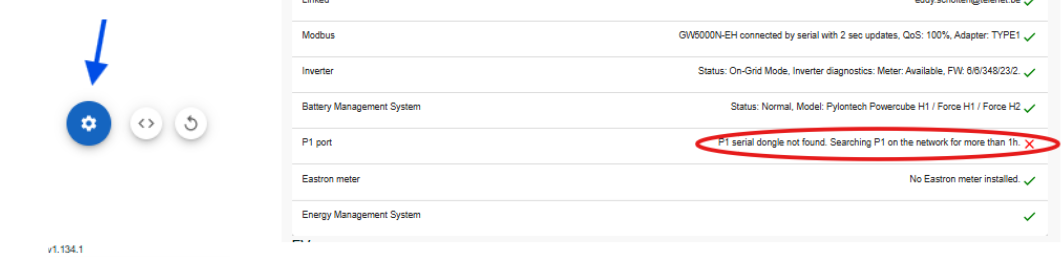
11.1 P1 error
Na wijzigingen met P1 -> FlexiObox rebooten om P1 detectie te heractiveren.
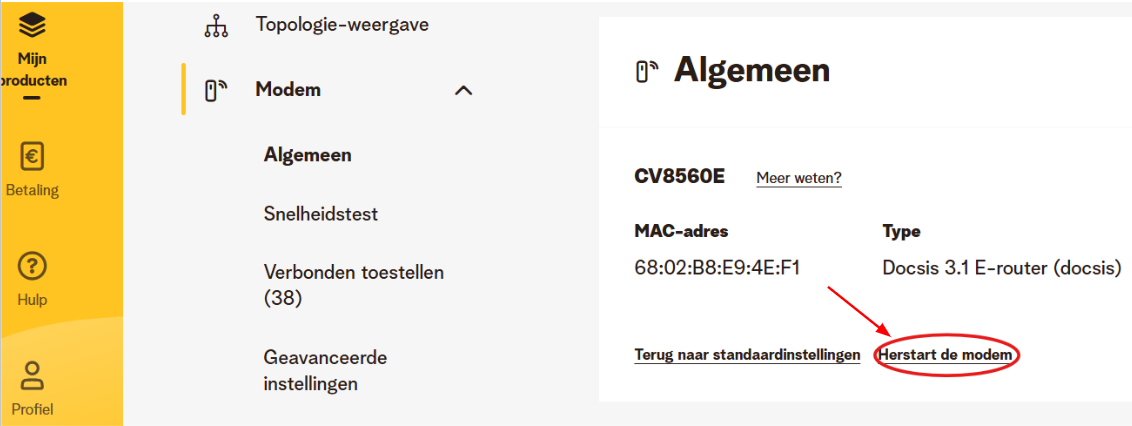
11.2 TELENET
Softreboot leads to the solution if the FlexiObox is not yet equipped with the latest firmware.
11.3 Omvormermerk specifiek
HUAWEI
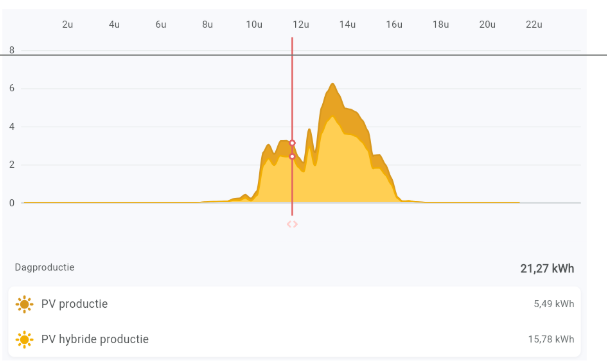
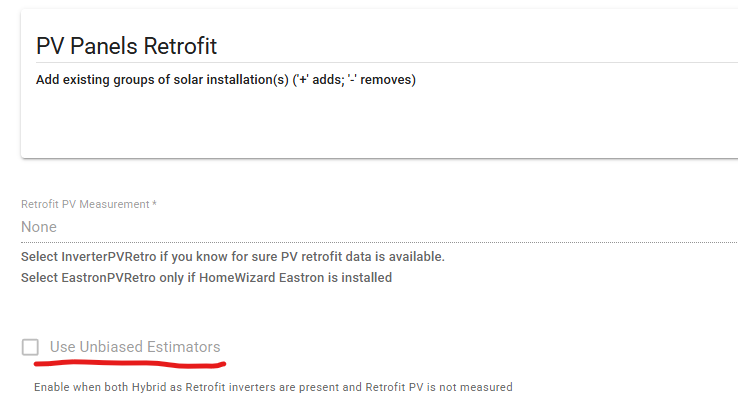
Do not perform master/slave configurations. Disconnect the slave inverter from the master and use 'unbiased estimators'. Through the FlexiO app, the user can see all the data.
SOLIS:
-
Correct Solis datalogger firmware
-
Correct inverter firmware
-
S6 and some S5 models are equipped with an additional serial connection.
SOLAREDGE: 'Time of use' user settings override the FlexiO code (diagnosis: powersetpointBatError)
GOODWE: Pay attention to the minimum SOC setting. Goodwe uses the term max discharge 90%. This corresponds to a minimum SOC of 10%. Do not adjust this (default) setting in the inverter!
11.4 Error message: Could not find device
We have noticed that after the claim process the FlexiObox does not become immediately available for configuration. The error code 'Could not find this device!' appears after selecting your 'unnamed device':
However, the device becomes available for configuration only after 5 to 10 minutes. After refreshing the browser URL you can start configuring the device. Apologies for the inconvenience, we are working towards an appropriate solution.
12. Compare MeterPower (data clamps) met GridPower (data digital meter)
13. How can I determine if there is a min soc mismatch?
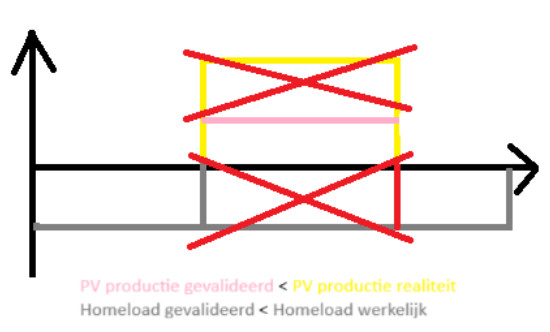
14. Why does the solar production not match reality?
-
Power in and out of the battery is known
-
Power in and out of the grid is known
-
Solar production power is not measured with a battery inverter
-
The homeload and solar production are both calculated values
-
The solar energy is not lost but is processed in the homeload
15. Why can’t FlexiO find my inverter?
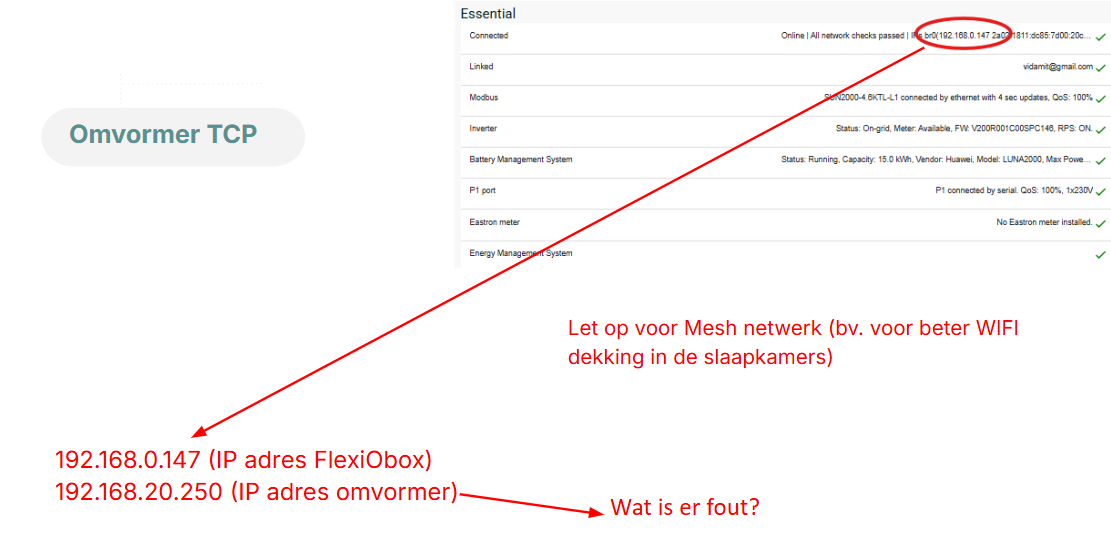
Always check the IP adress FlexiO is on and compare it with the IP-range the inverter is connected to.
A Mesh-network creates a different IP-range which can cause troubles for the 2 devices to find each other.