
This procedure describes the replacement of a broken or malfunctioning device.
Avoid setting up a new device as replacement, you will then have to re-configure everything from scratch and all historical data such as user data, savings and earnings will be lost.
Following steps to be taken before replacing a device:
-
Restart of device and router by cutting power to device
-
Connecting device directly to router with fixed Ethernet cable
-
Checking all cabling and internet access of local network
To prepare the replacement of a device please make sure following items are at hand:
-
A new FlexiObox
-
Power and internet connection
Step 1: Setup a new device
A new device can be a claimed or unclaimed device.
Be aware that everything on this new device will be deleted and replaced by the defective device profile and information.
-
Connect the new device to a power supply and an Ethernet (direct internet) connection
-
Wait for the device to boot and the green light to be continuous on
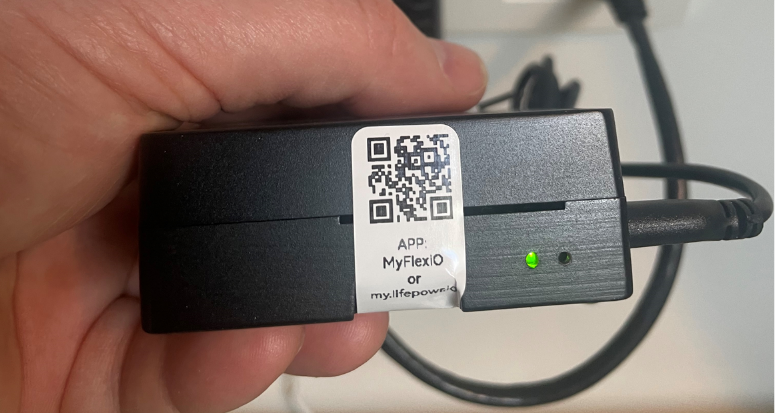
-
Connect your mobile phone, laptop or PC to the local network where the new FlexiObox is connected to by using Wi-Fi or Ethernet connection
-
Open a browser on your mobile phone, laptop or PC and navigate to http://myio.local/settings
-
Important to be in the same local network as the new FlexiObox.
Otherwise you will not be able to connect to this local webpage.
-
Push on the button LINK WITH PARTNER to generate a pairing code:
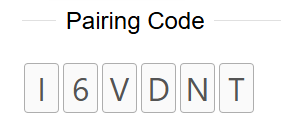
Step 2: Initiate the Replace Device procedure
-
Open and login to the partner portal partner.lifepowr.io and navigate to the device which needs to be replaced
-
Go to IO Diagnostics of that device and click the REPLACE DEVICE button:
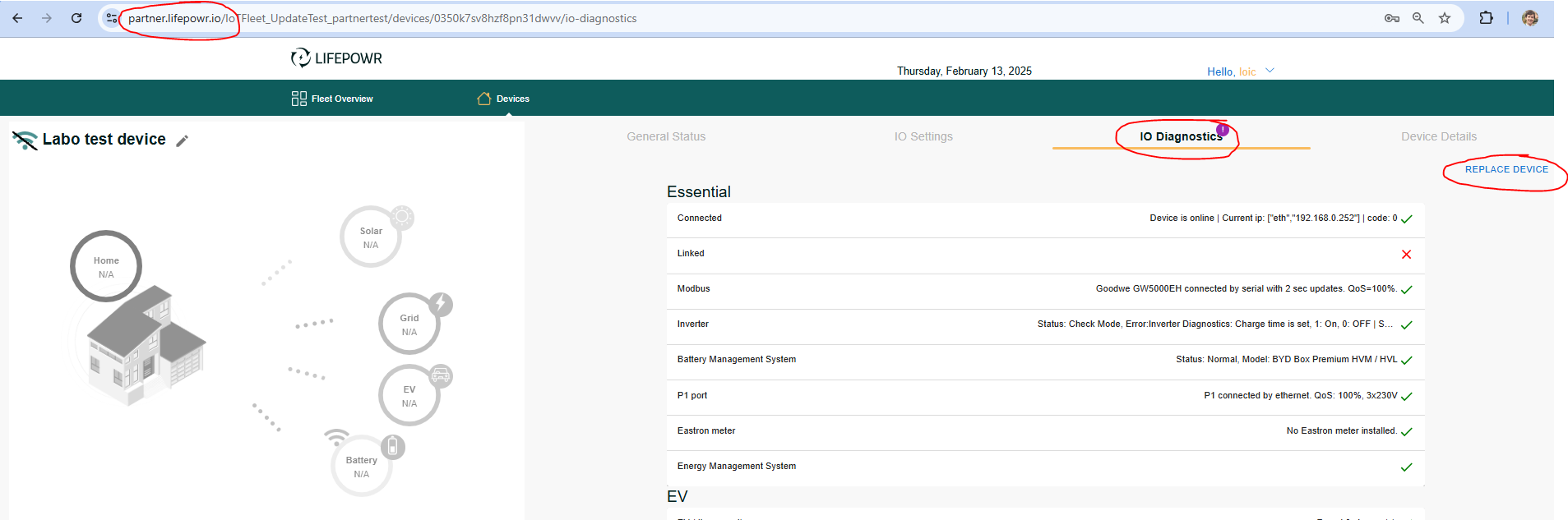
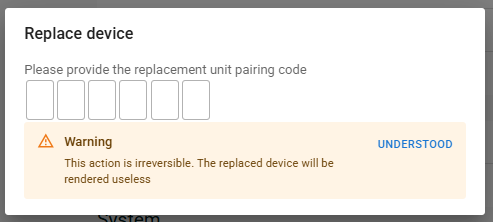
Pop-up window asking for a pairing code:
Step 3: Insert pairing code
-
Fill in the pairing code from the new device:
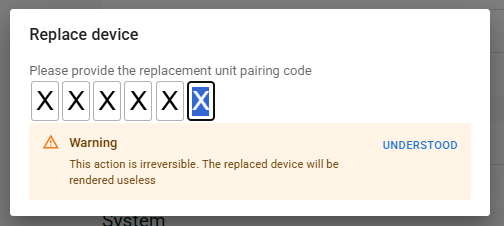
-
Click UNDERSTOOD to acknowledge the impact of replacing this device
The old device will become unusable and can be shipped to LIFEPOWR for further analysis
-
Click REPLACE to copy data such as history and configuration from the old device to the new device
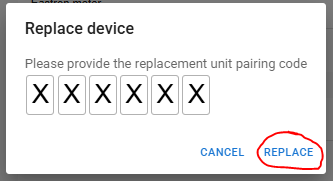
The history and configuration is now being moved to new device.
As from this moment, the new device can replace the old as the latter isn’t longer operational.
Step 4: Physically change the old device with the new device
-
Remove the wiring from the old device and plug all into the new device
-
Make sure the new device is properly powered and connected to the router.
Step 5: Complete the installation and activate FlexiO
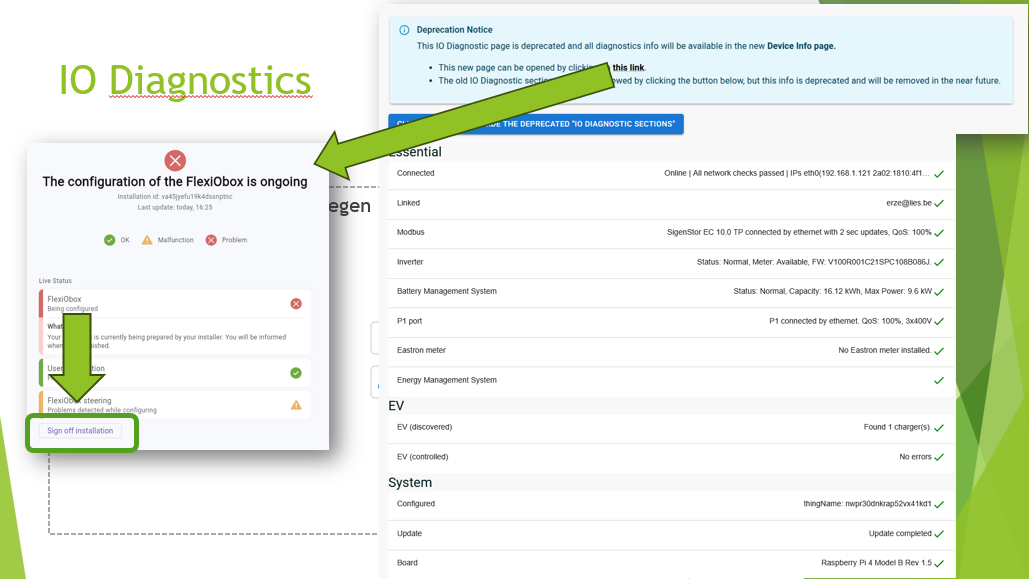
Activate FlexiO
By signing off the installation, a commitment is made where a fully functioning installation can independly run without LIFEPOWR external steering.
By clicking the sign off button, FlexiO EMS gets re-activated.
From then on, FlexiO will continue to intelligently manage the installation.
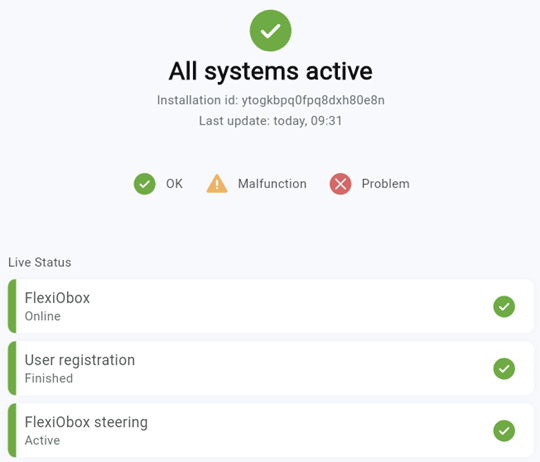
Congratulations! 🥳 You have successfully replaced the FlexiObox!
Step 6: Return the defective device to LIFEPOWR
-
Returns can be done by parcel service or during a personal meeting with one of the LIFEPOWR representatives
-
Replacements under warranty will be arranged after analyses