
Complete the installation and activate FlexiO
Configuration ongoing
When the configuration or installation is not fully completed, the device info page will show the different errors and the signoff button will be disabled. This is already applicable for certain pilot fleets and will be rolled out as soon as possible.
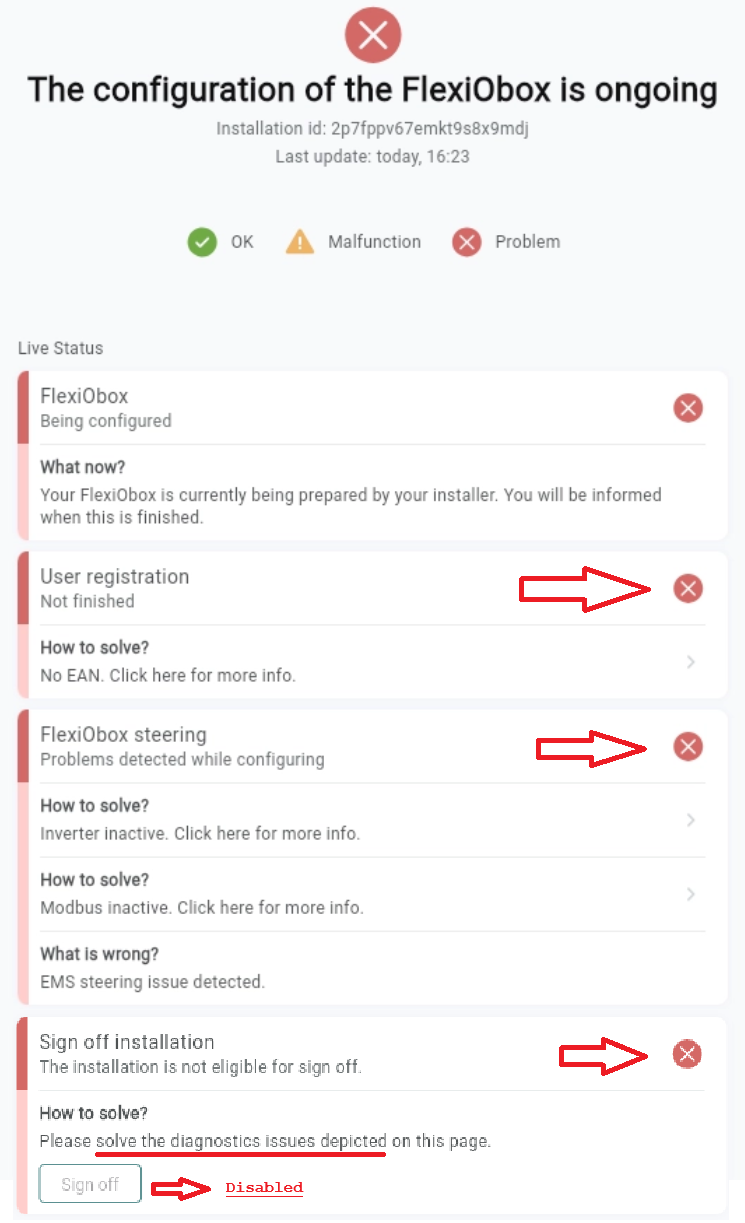
You can click on the error and will be redirected to the documentation page specific to this error.
Configuration finished
When all errors are resolved, the signoff button is not disabled anymore and the installer can sign off the installation.
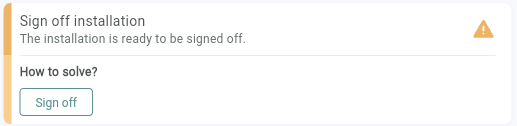
By signing off the installation, a commitment is made where a fully functioning installation can independly run without LIFEPOWR external steering. The FlexiO EMS will not get activated and LIFEPOWR subscription will not start, as long as the user registration is not finished.
By clicking the sign off button, the installer gives his approval for the activation of the device.
For the FlexiO EMS to start the user has to register by:
-
Downloading the MyFlexiO app
-
make an account with the same e-mail address the installer used to link the device to the user.
-
agree to the Terms of Use
-
enter IBAN for subscription invoices and gridbalancing revenues
-
enter EAN for gridbalancing purposes.
When signoff is done by the partner and user registration is completed by the user, FlexiO will begin to intelligently manage the installation. The EMS mode goes to Normal mode and other troubleshooting modes can be used from then on.
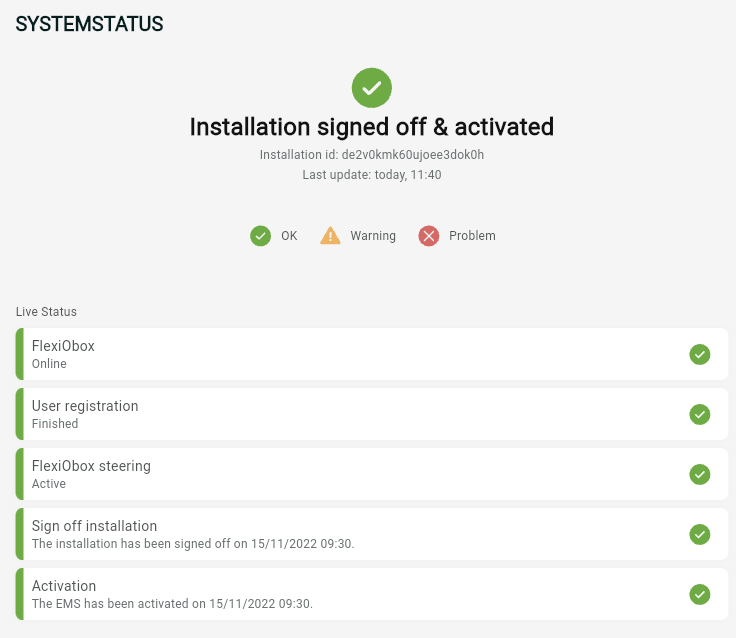
FlexiO is now active
Congratulations! 🥳 You have successfully completed the FlexiObox setup!
Addendum: Battery EMS Modes
Once the EMS-mode has been put automatically to Normal (after the installer sign-off and user registration) the installer can change the Battery EMS modes, if necessary.
For users with an analogue meter we advise not to do the signoff yet. Only after installation of the digital meter and connecting it to the FlexiObox, the sign off can be done, activating FlexiO and the subscription.
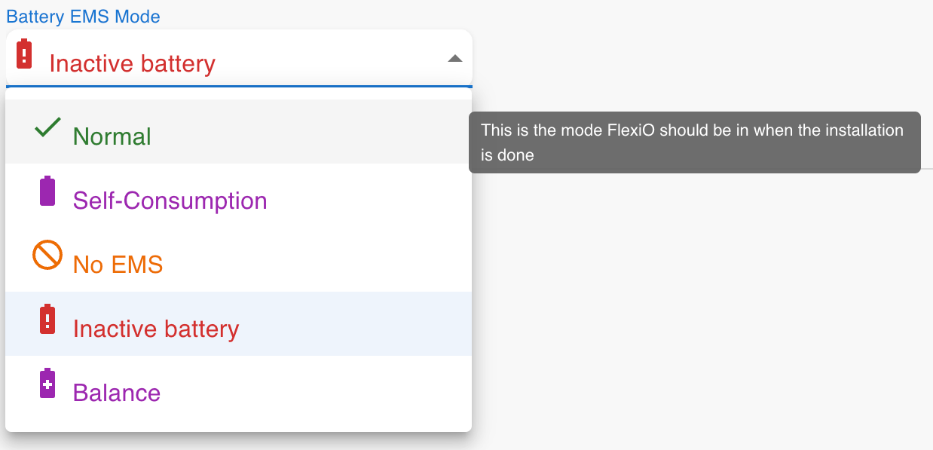
Notes:
|
Battery EMS Mode |
Explanation |
|---|---|
|
Uninitialized |
This is the default mode a FlexiO is in at startup/configuration. As long as the FlexiObox is not fully configured, it should remain in this mode. |
|
Normal |
This is the mode in which the system should be placed when the entire fleet assignment and configuration process has been successfully completed. At this point, FlexiO will actively control the installation according to the set energy contract and start the free period of FlexiO control. |
|
Self-Consumption |
In this mode, FlexiO controls the system and the battery operates in self-consumption mode. This means that there is very little added value. |
|
No EMS for troubleshooting only |
This mode can be used when a problem with the FlexiOBox is suspected. In 'No EMS' mode, FlexiO will no longer drive the installation and it can be determined if there is a problem with the FlexiOBox or with other hardware such as the inverter or battery. |
|
Inactive battery for troubleshooting only |
In this mode, the battery can be completely disconnected if FlexiO detects abnormal activity. |
|
Balance for troubleshooting only |
In this mode, the battery's BMS is controlled to fully charge and then fully discharge to balance all cells (1000 watts). |