
This inverter is currently in Beta.
This integration guide is compatible with the following device:
-
Solinteg M2HS 3-6kW
1. Wiring
-
Connect to the inverter using the Black Dongle [LMGS] combined with the S/FTP cable [LSF2].
-
Strip an SFTP/UTP cable on one side.
-
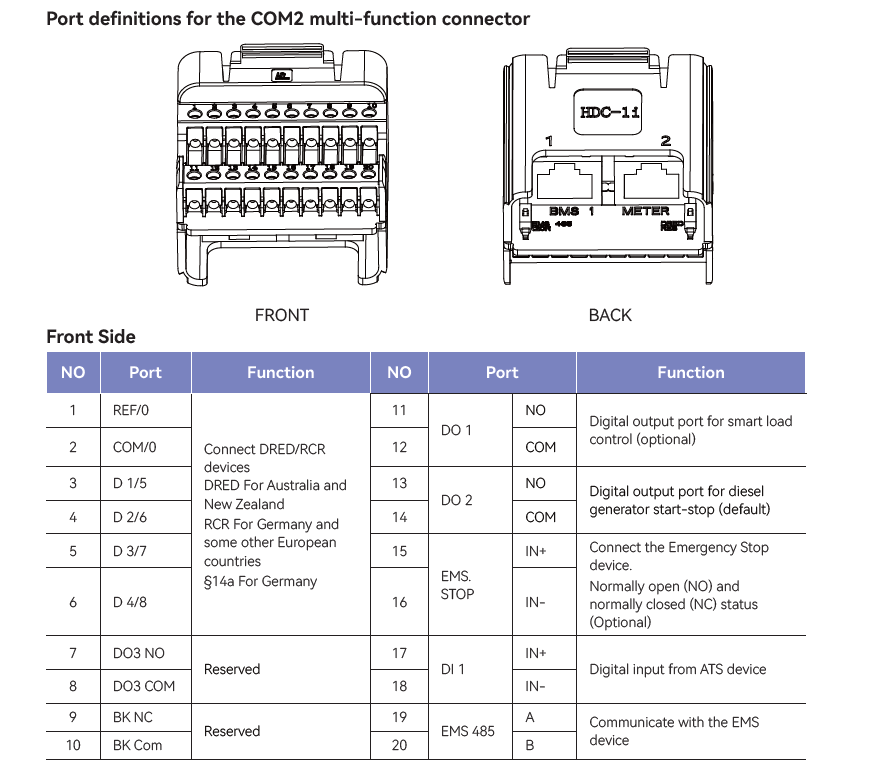
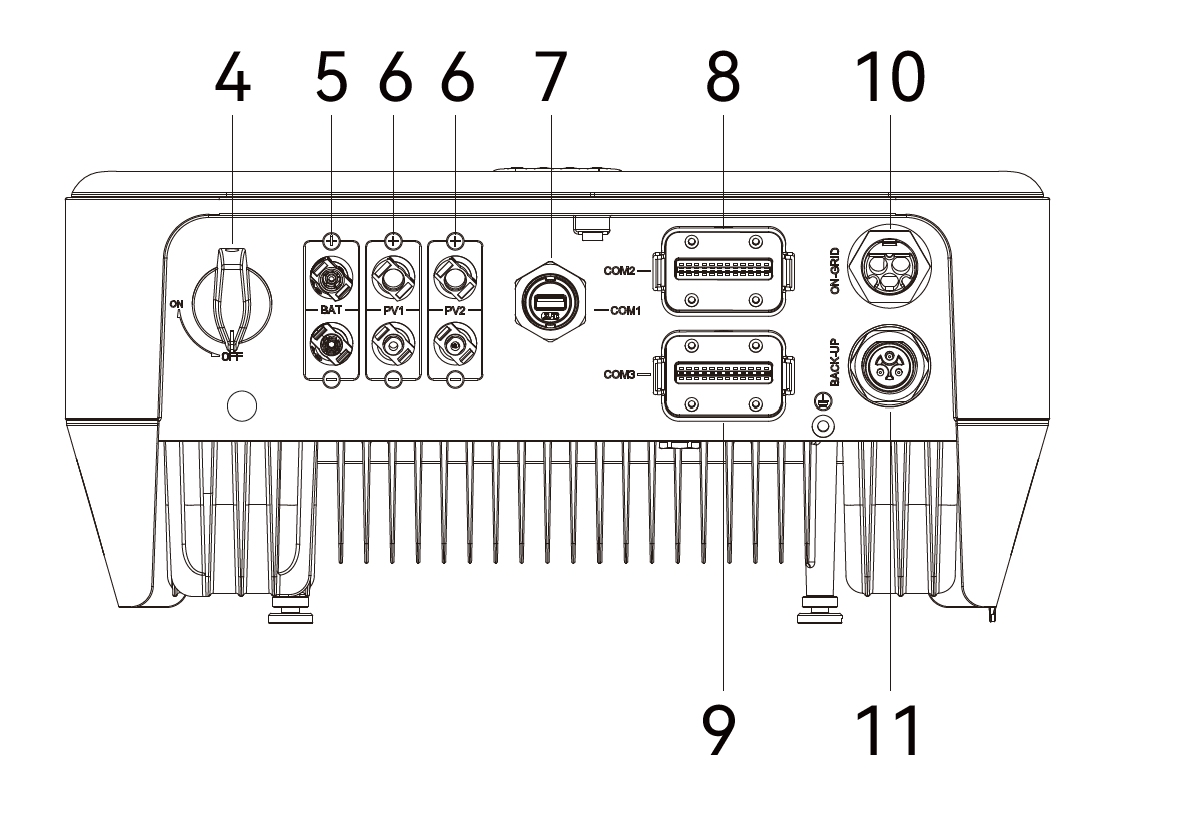
Connect to COM2 on the inverter — note this is different from the INTEG M-series, which uses COM1:
-
Pin 19 = RS485A = orange/white
-
Pin 20 = RS485B = orange
See page 55 of the Solinteg M2HS 3-6K User Manual for the full connector layout.
-
Finally, connect the USB end of the dongle to a free USB port on the FlexiObox.
2. Enable Modbus
Modbus is enabled by default, no additional configuration is required.
3. Known issue (Beta)
If the inverter responds normally to read requests (monitoring data updates as expected) but does not respond to battery control commands (charge/discharge setpoints are not applied), update the R2MD communication-module firmware to the latest version via the Solinteg Cloud monitoring portal, then retest. This is a known issue on older R2MD firmware. Contact LIFEPOWR support if the problem persists after the update.