
1. Modbus support
The SolaX X1/X3 Hybrid G3 inverter supports Modbus TCP connections using the inverter RJ45 LAN Port.
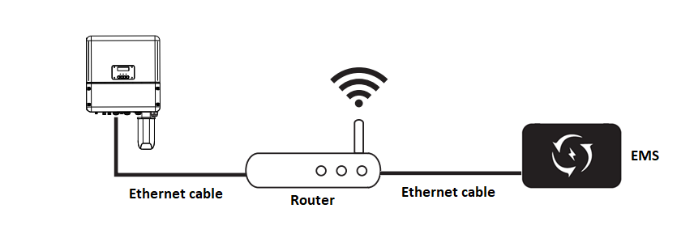
2. Connecting the Network Cables
-
Power off the inverter
-
Plug the ethernet cable RJ45 connector to the inverter COM connector
-
Plug the other end of the ethernet cable to the home router
-
Power on the inverter
-
The EMS will detect the inverter in the next 5 minutes.
3. Troubleshooting
By default, if all the physical connections from section 2 are made, the inverter should be automatically detected by the EMS in 5 minutes.
If this isn’t the case check that the following conditions are met.
-
Check that DHCP is selected under network settings
Using the inverter display menu go to:
Settings >> Ethernet
and select DHCP under IP Method.
-
Check that both the inverter and the EMS are connected to the same network
Check the ethernet cables to guarantee that both the inverter and the EMS are connected to the same router.
-
Check that the remote control setting is enabled
Using the inverter display menu go to:
Settings >> Advanced >> On grid >> Remote Control
and select Enable under Func select.