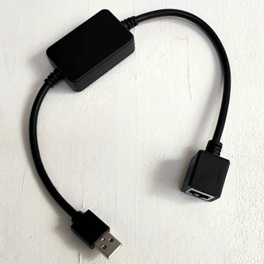
To connect a GoodWe ES G2 (ES20) or ET G2 inverter, combine the 2 following items:
-
-
Remove the RJ45 connector on one side and strip the cable to uncover the 8 coloured (twisted pair) cables.
-
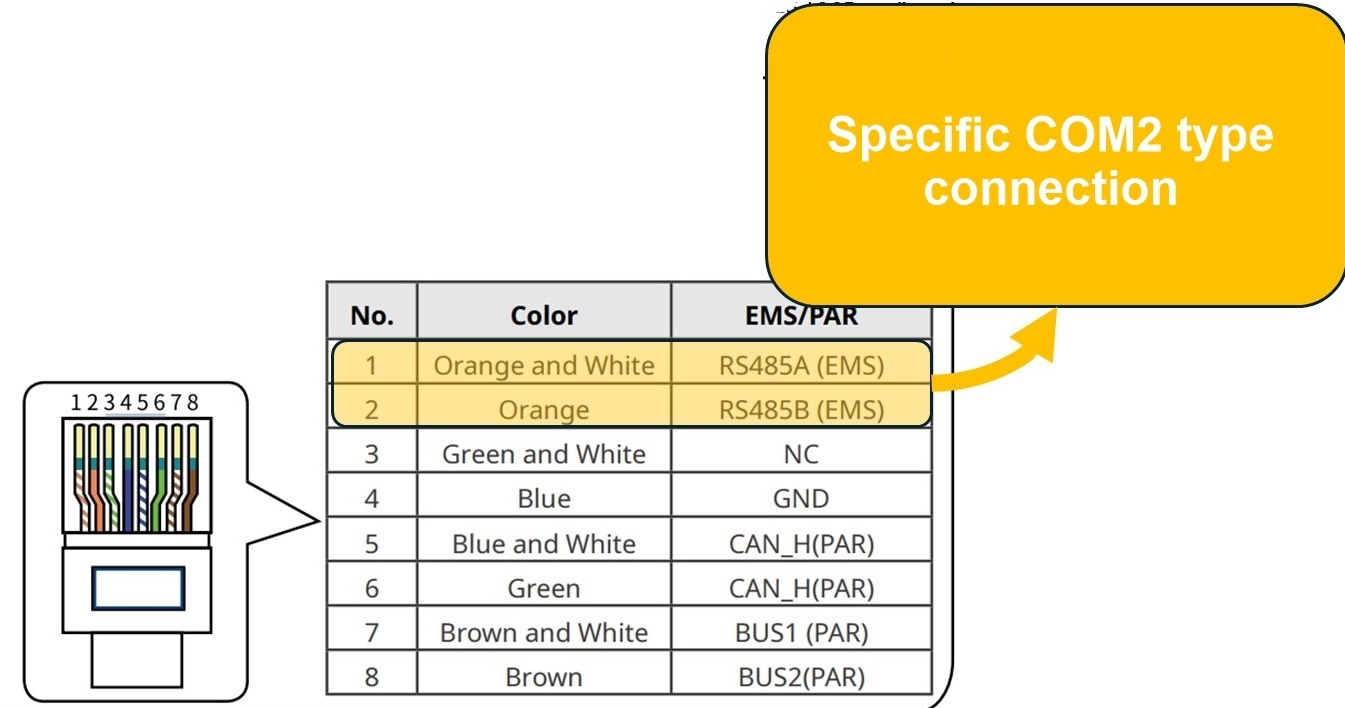
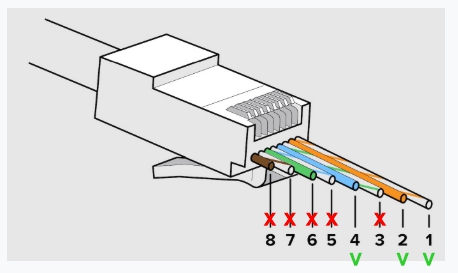
Connect a new RJ45 on the stripped side of the cable, only connecting the following cables:
-
Orange/White cable to RJ45 pin 1
-
Orange cable to RJ45 pin 2
-
Blue cable to RJ45 pin 4
-
DO NOT connect any of the 5 other cables to the RJ45 connector as will interfere with the communication signal
-
-
-
Plug this RJ45 in the leftmost dedicated EMS/PAR sockets on the 3-phase GoodWe inverter ES G2:
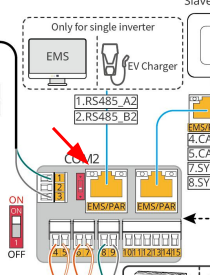
ET G2:
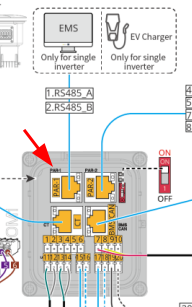
-
Connect the RJ45 on the other side to the GoodWe Black Dongle [LMGS] female RJ45
-
Plug the GoodWe Black Dongle [LMGS] USB connector into one of the 4 FlexiObox USB ports